





Does PU Prime provide company accounts?
Yes, PU Prime does provide company accounts.
If you wish to apply for a company account, please enter the PU Prime registration website via https://www.puprime.com/forex-trading-account/ and select "Company Account".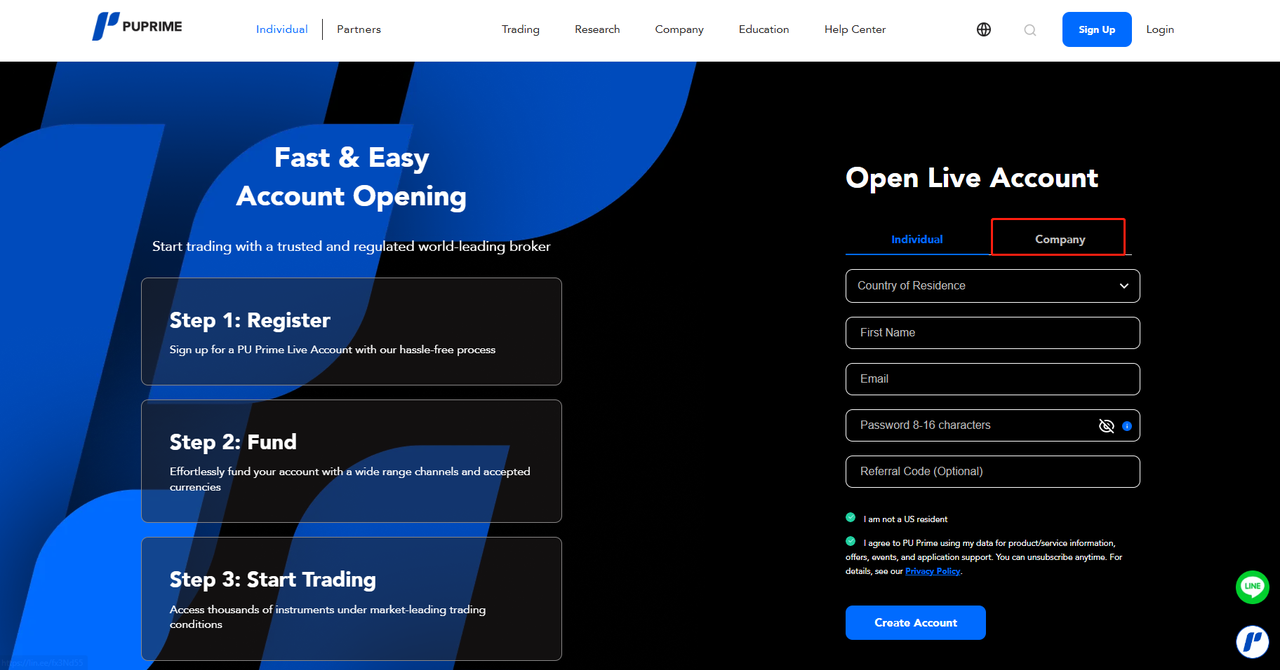
Then you will be required to complete 5 steps filling in information for your company account:
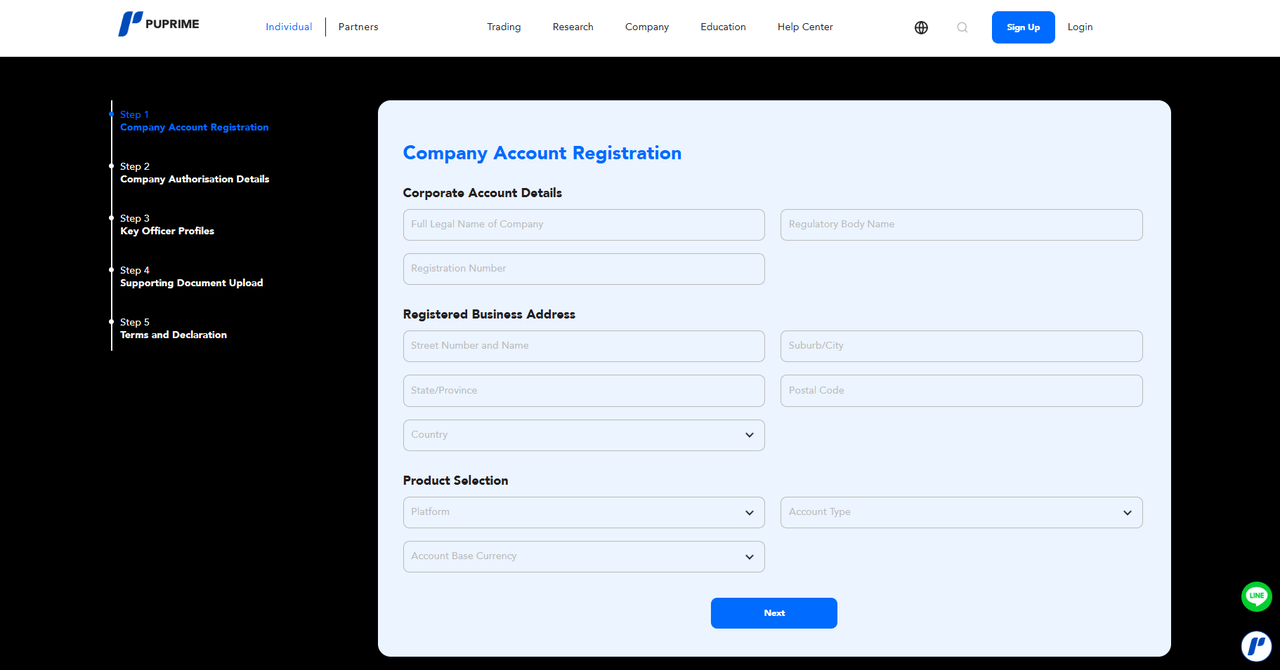
Step 1: Company Account Registration
Fill in "Corporate Account Details", "Registered Business Address" and "Product Selection" and click "Next"
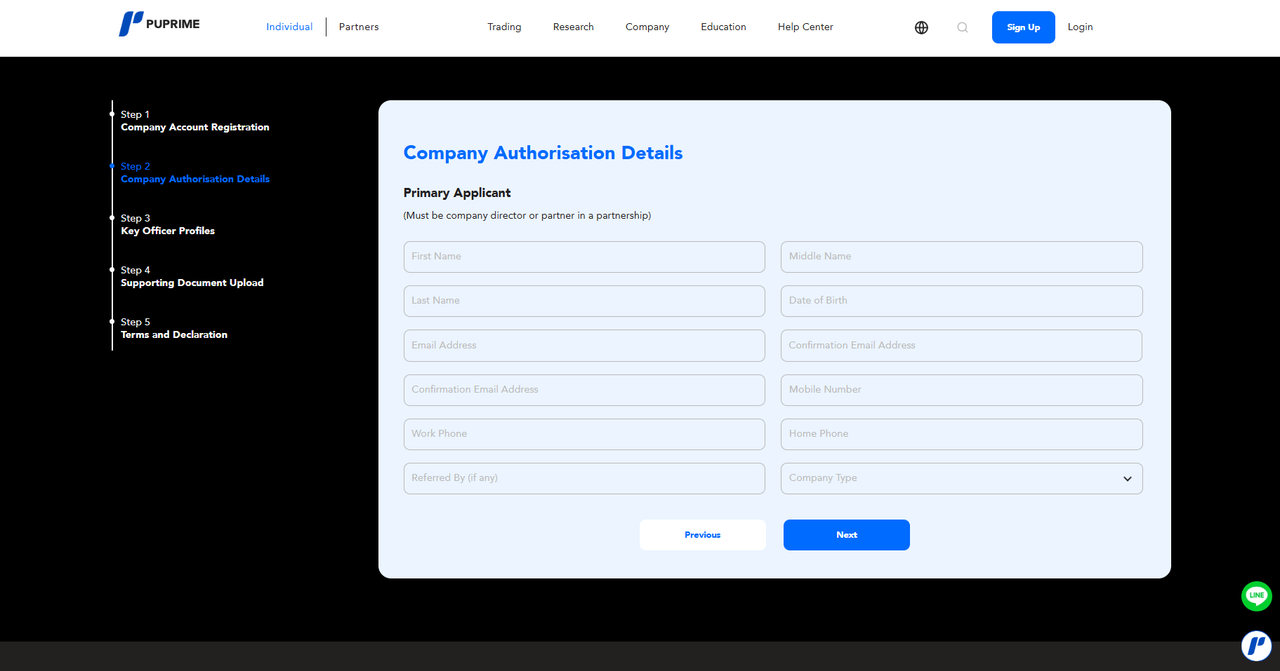
Step 2: Fill in "Primary Applicant” and click "Next"
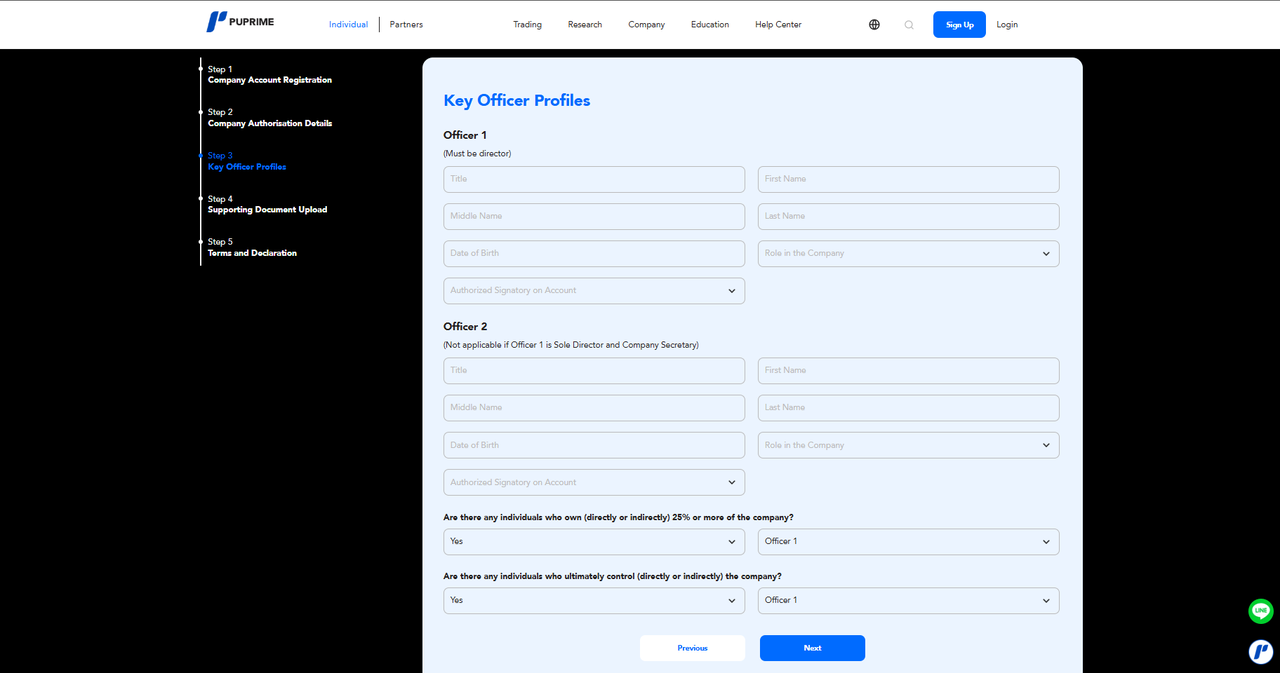
Step 3: Fill in "Key Officer Profiles" and click "Next"
Step 4: Upload "Certificate of Incorporation", "Proof of Incorporation Address", "Execution Pack" and "Proof of Actual Controller / Ultimate Beneficial Owner / Authorised Account Operator" and click "Next".
Note: You are required to download the "Execution Pack" to sign it before uploading
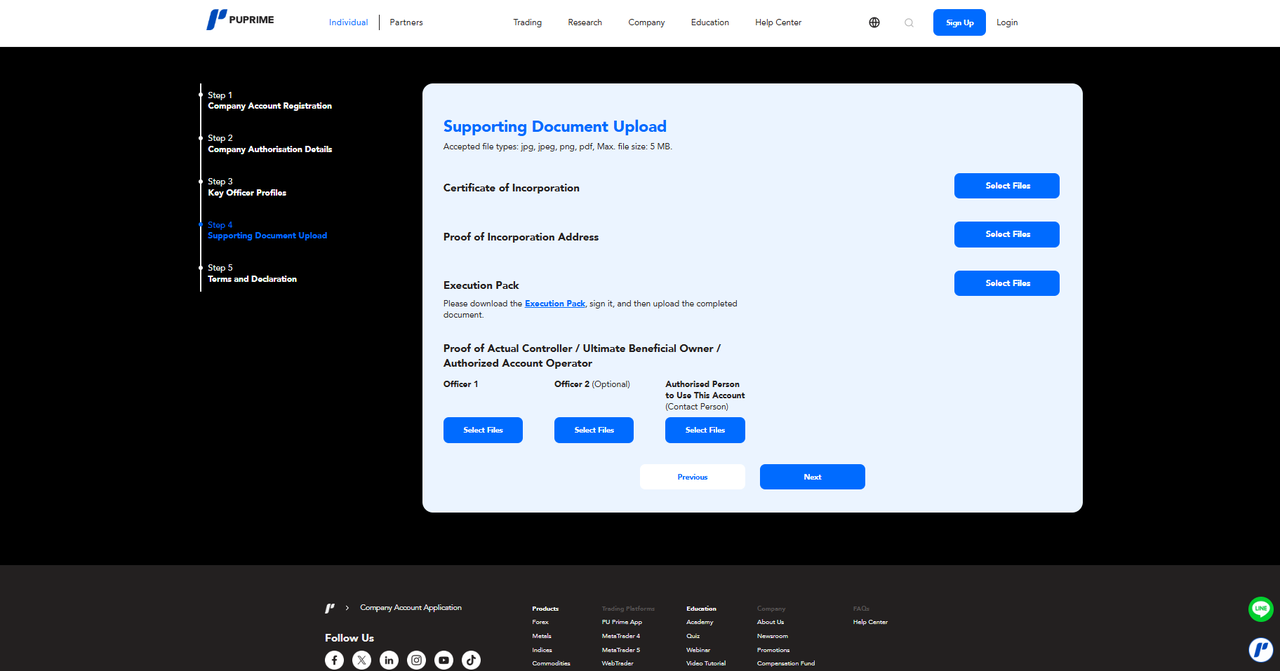
Step 5: Read the "PU Prime Legal Documentation" carefully and tick both boxes, then click "Submit".
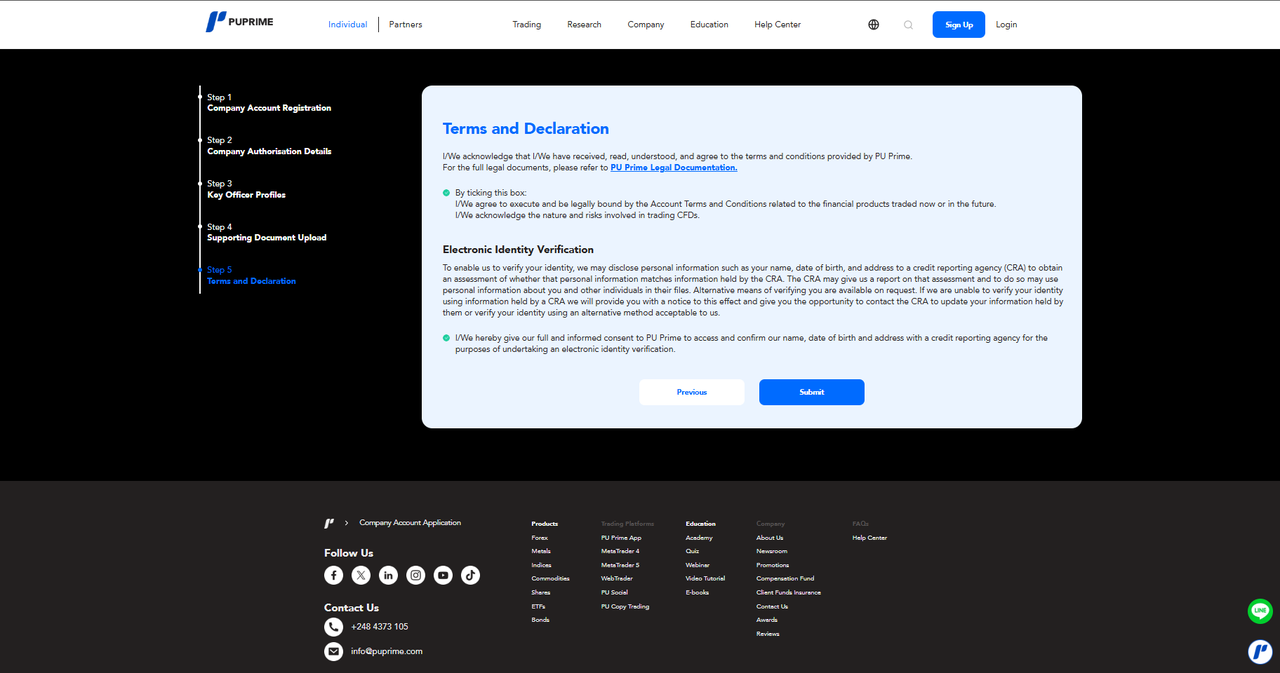
Your application is received and you will be contacted by your assigned account manager shortly regarding the application.

Then you will be required to complete 5 steps filling in information for your company account:
Step 1: Company Account Registration
Fill in "Corporate Account Details", "Registered Business Address" and "Product Selection" and click "Next"
Step 2: Fill in "Primary Applicant” and click "Next"
Step 3: Fill in "Key Officer Profiles" and click "Next"
Step 4: Upload "Certificate of Incorporation", "Proof of Incorporation Address", "Execution Pack" and "Proof of Actual Controller / Ultimate Beneficial Owner / Authorised Account Operator" and click "Next".
Note: You are required to download the "Execution Pack" to sign it before uploading
Step 5: Read the "PU Prime Legal Documentation" carefully and tick both boxes, then click "Submit".
Your application is received and you will be contacted by your assigned account manager shortly regarding the application.



